Voxel Shop beta is live. Expect occasional bugs. Learn more
MobSkulls v1.8
⚡️Create a indepth leveling system with entitys⚡️
Page 1
v1.8
Mar 28, 2026
Rare Mob Heads + Masks
UPDATE 1.6
MobSkulls — Rare Skulls, Masks & Abilities System
Rare Skull Drops — every mob has a configurable chance to drop a rare variant of its skull alongside the normal one. Rare skulls have a purple "★ RARE VARIANT ★" tag, glow effect, and stack separately from normal skulls. The drop chance is set per mob in mobs/mobs.yml under rare-drop-chance — common mobs like zombies have a 5% chance while bosses like the Ender Dragon sit at 0.1%. When a rare skull drops you get a sound effect and a purple announcement in chat. Rare skulls also drop from kill hoppers.
Mask Crafting — /ms mask opens a paginated GUI showing all available masks. Each mask requires 128 rare skulls of that mob type to craft (configurable per mask in masks/masks.yml). The GUI shows how many rare skulls you have versus how many you need, with a green "Click to craft!" when you have enough. Crafting consumes the rare skulls and gives you the mask item with a title announcement.
Applying Masks — open your inventory, pick up a mask onto your cursor, then click it onto any helmet (leather, iron, diamond, netherite, etc). The mask gets consumed and the helmet updates with the mask's name, ability description, and a glow effect. Each helmet can only hold one mask at a time.
Removing Masks — open your inventory with an empty cursor and right-click a masked helmet. The mask pops off onto your cursor and the helmet returns to normal. You get the mask back as an item.
11 Mask Abilities (active while wearing the masked helmet):
Chicken Mask — completely negates all fall damage. Jump from any height without taking a scratch.
Horse Mask — permanent speed boost. The speed amplifier is configurable in the masks config.
Blaze Mask — fire aspect hands. Any mob or player you punch catches fire. The burn duration is configurable.
Rabbit Mask — jump boost and speed combined. Both the jump and speed amplifiers are individually configurable.
Wither Mask — aura effect that strips all positive potion effects (speed, strength, regeneration, etc) from nearby players and applies Wither to them. The range, wither duration, and amplifier are all configurable.
Zombie Mask — poisonous hands. Each hit has a configurable percentage chance to apply poison to the target. The poison duration and amplifier are configurable.
Skeleton Mask — steal hearts on hit. When you damage an enemy, you heal for the same amount (up to a configurable maximum per hit). Shows heart particles when you steal health.
Creeper Mask — chance to deal double damage on any hit. The percentage chance is configurable. Shows an explosion particle when it triggers.
Pig Mask — infinite hunger. Your food and saturation are kept at maximum at all times, so you never need to eat.
Cow Mask — permanent Resistance I. Reduces all incoming damage continuously while worn.
Iron Golem Mask — grants 2 extra hearts (configurable) that are fully regenerable just like normal hearts. The extra health is properly added and removed via attribute modifiers when you equip or unequip the mask.
Admin Commands:
/ms givemask <mob>— gives yourself any mask for testing (requiresmobskulls.admin)
Configuration:
mobs/mobs.yml—rare-drop-chanceandrare-display-nameper mobmasks/masks.yml— each mask hasenabled,display-name,rare-skulls-required,ability-description, and all ability-specific valuesconfig.yml—skull-despawn-secondscontrols how long dropped skulls last on the ground (default 5 minutes, set to 0 for never)config.yml—debug: true/falseenables console logging for troubleshooting
1.7
Mar 28, 2026
Kill Hopper
UPDATE 1.6
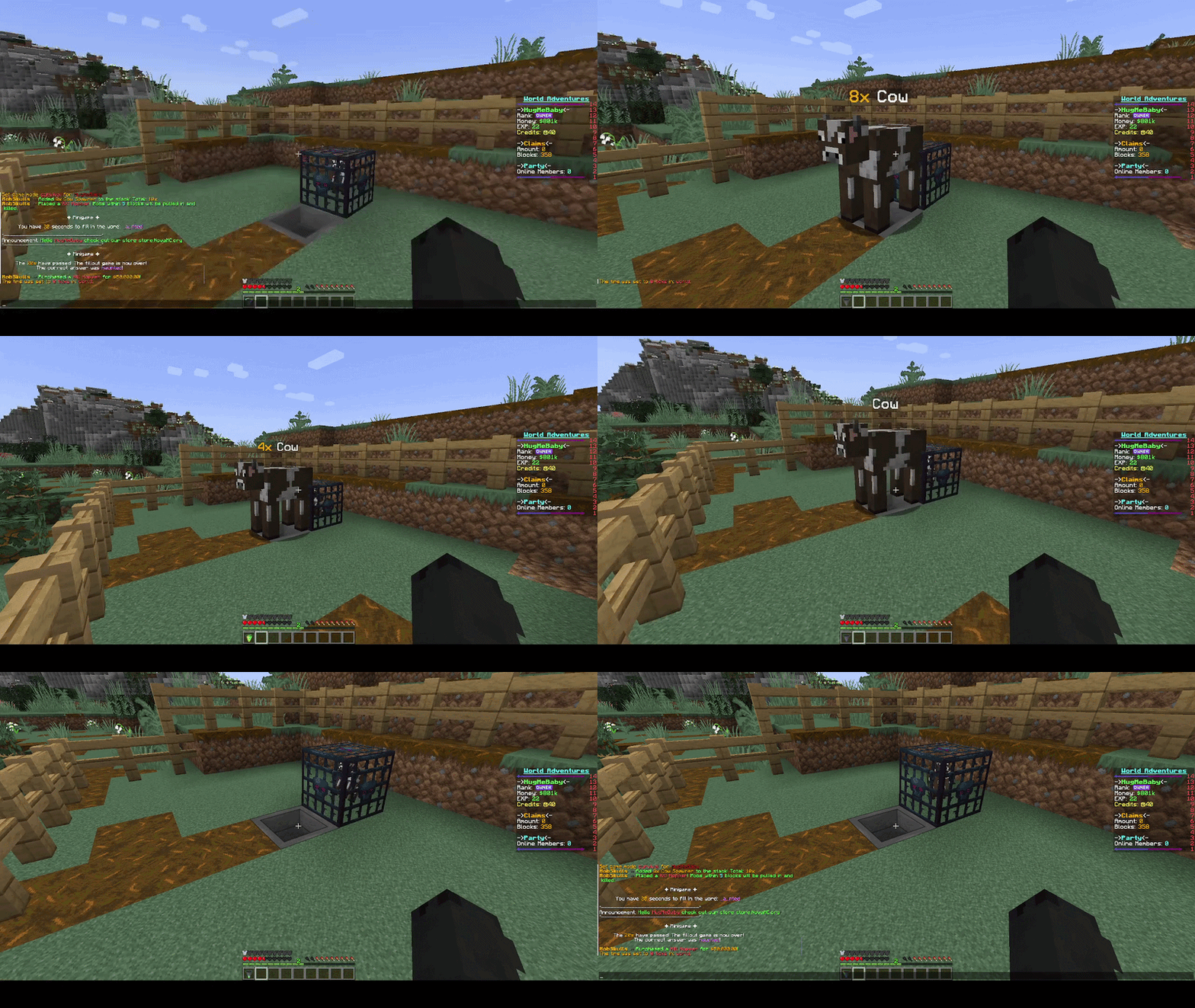
Kill Hopper — a special hopper you buy from /ms shop for $50k. Place it near your spawner farm and it does two things: first, it acts like a magnet, pulling all mobs within 5 blocks onto the hopper. Then it auto-kills them one at a time every second. The skulls and drops go straight into the hopper's inventory, so you can pipe a regular hopper underneath into a chest for fully automated farming. Every kill counts on your leaderboard stats as if you killed the mob yourself, boosters apply to the skull drops, and it works with stacked mobs too — chipping away one from the stack each tick. All the settings (price, pull range, kill speed) are configurable in hoppers/hoppers.yml.
1.6
Mar 28, 2026
Leaderboards
UPDATE 1.3
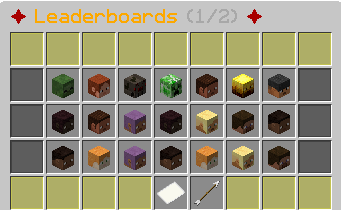
In this new update brings a new feature called leaderboards. By running the command /ms leaderboard it brings up a gui which shows every mob inside of mob.yml and then when you click on that mob you want to see if opens another gui displaying the top 10 amount of kills to that mob by players ranking in order.
1.5
Mar 28, 2026
Placeholder API
UPDATE 1.3
In this new update brings a quality of life update bring placeholder api very small update but needed. All placeholders are below:
Player Placeholders:
%mobskulls_level%— current level%mobskulls_xp%— total XP%mobskulls_xp_needed%— XP remaining to next level%mobskulls_xp_progress%— progress percentage (e.g. "45.2")%mobskulls_xp_progressbar%— visual bar like████░░░░░░%mobskulls_kills%— total kills%mobskulls_sold%— total skulls sold%mobskulls_earned%— total money earned%mobskulls_max_level%— max level from config
Booster placeholders:
%mobskulls_booster%— current multiplier (e.g. "2x") or "None"%mobskulls_booster_time%— time remaining (e.g. "5m 30s") or "None"%mobskulls_booster_active%— "true" or "false"
1.4
Mar 28, 2026
Boosters
UPDATE 1.3
In this new update brings a new feature called boosters, This system lets you run server-wide events that multiply how many skulls drop from mob kills. There are two ways to activate them:
Staff Commands — any op/admin can manually start a booster with /ms boost <multiplier> <duration>. For example, /ms boost 2 1h starts a 2x drop event for one hour, meaning every mob kill drops 2 skulls instead of 1. You can do fractional multipliers too — a 1.5x booster gives a 50% chance of that extra skull. Stop them anytime with /ms boost stop.
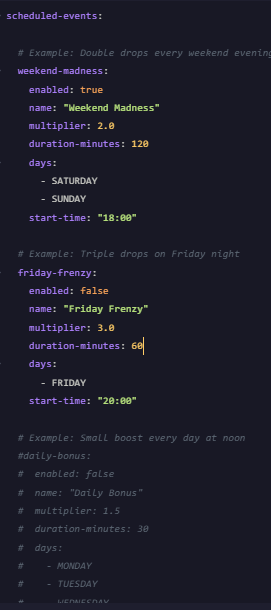
Scheduled Events — in boosters.yml, you can set up recurring events that auto-start on specific days and times. For example, the pre-configured "Weekend Madness" event fires every Saturday and Sunday at 6pm, giving 2x drops for 2 hours. You can add as many scheduled events as you want — daily lunch bonuses, Friday night frenzies, whatever suits your server.
If multiple boosters happen to overlap, only the highest one applies — they don't stack. So a 2x manual boost running alongside a 3x scheduled event just gives 3x, not 6x.
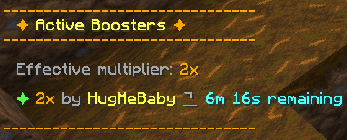
When a booster starts or ends, every online player gets a title on screen, a chat message, and a sound effect so nobody misses it. Any player can check the current booster status with /ms boost to see what's active and how much time is left.

1.3
Mar 28, 2026
Organization
UPDATE 1.3
In this new update brings changes to how all the configs are layed out. Before this update everything was crammed into the one config.yml folder. Espcially with the update of the databse related stuff this config started to become quite large and chaotic. So i took the time to orginise and seperate everything. So now instead of there being just the one config.yml. You now have:
Config.yml (which has the databse stuff and the levels and xp required for them)
Lang.yml (Which has all the plugins messages inside)
Hoppers.yml (Which contains all hopper related stuff like price, weather they are enabled and the range and for future hoppers)
Mobs.yml (Contains all the entities for the head system and spawners and whatever else like the xp on redeem, the sell price, the unlock level, the spawner price.
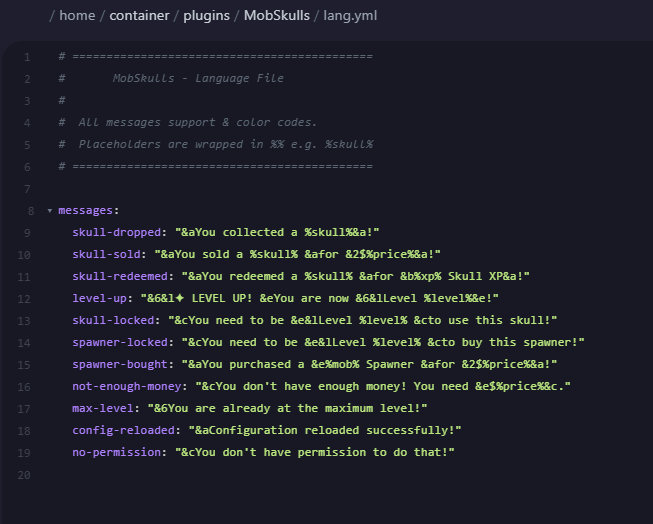
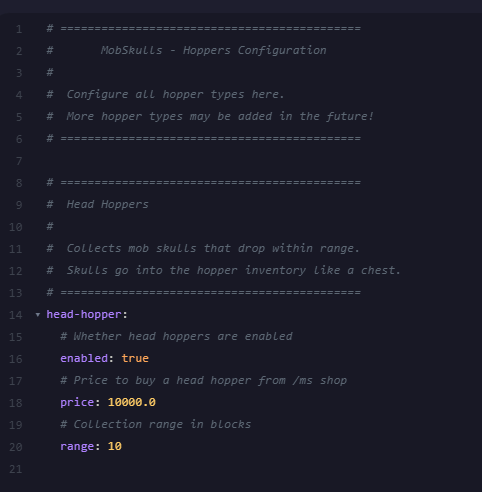
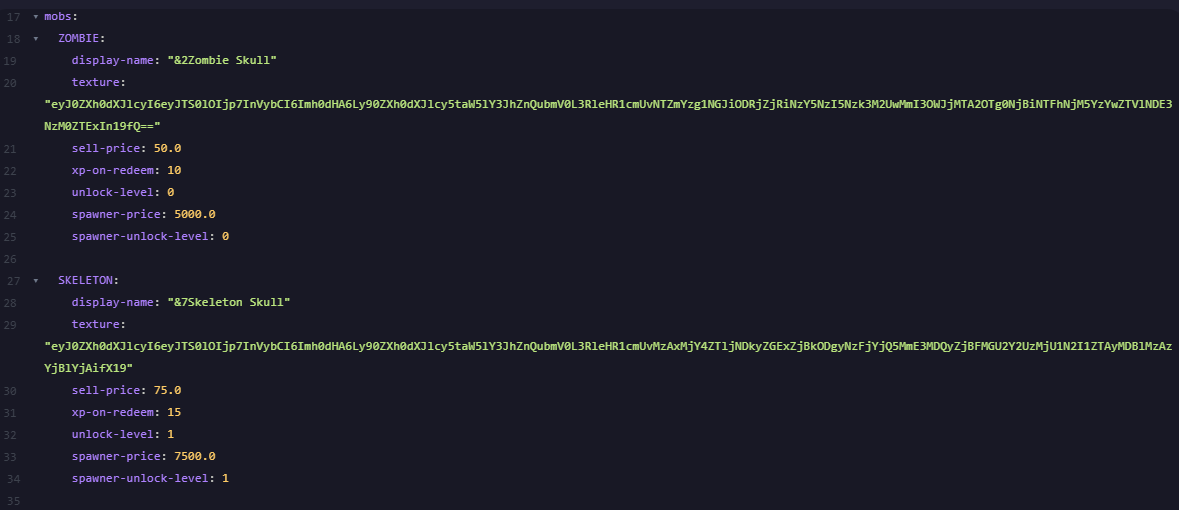
1.2
Mar 28, 2026
DATABASE'S
UPDATE 1.2
In this new update brings changes to how data is stored. Originally i have it just all saving in the yaml files, which when overloaded or the thread locks up that data would never be saved. So i decided to add MYSQL Databse and i also decided to add MONGODB Database (as its my favouirte :) ). This now allows multiple data saving types. If the connection fails for incorrect inputs into the config i have it so it will fall back onto the yaml saving system just so most data isnt lost.
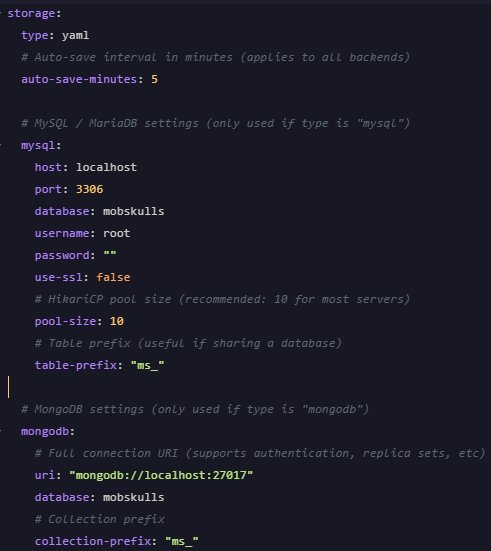
1.1
Mar 28, 2026
New Gui's
UPDATE 1.1
In this new update brings changes to how the commands look so now when running /ms levels instead of it printing the huge text into chat it now brings up a nice clean gui making it easier to view all information very easily and giving it a professional look to things.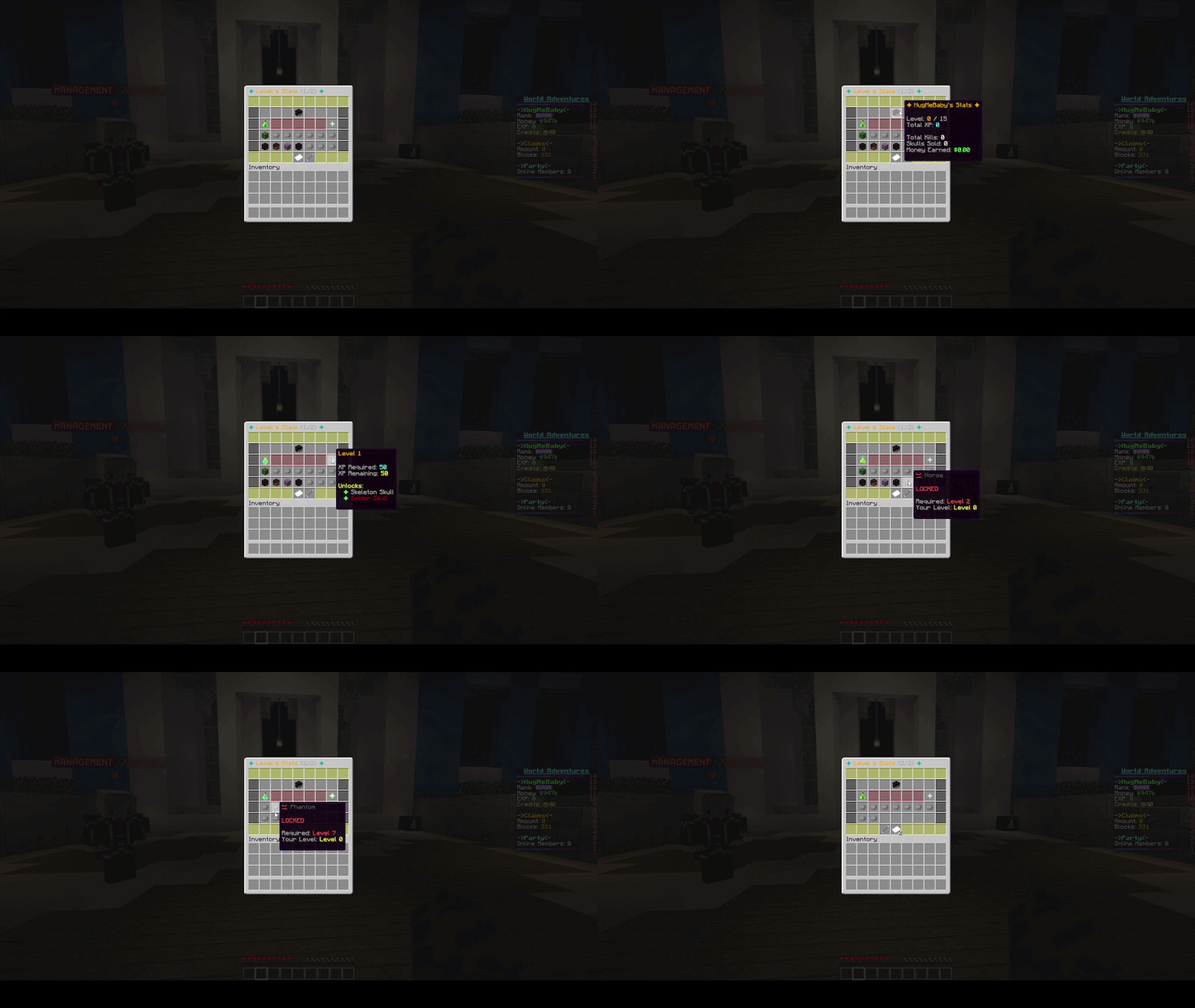
1.0
Mar 24, 2026
Page 1
Sign in
$9.99 USD
Sign in to purchase, save this product to your cart, and keep downloads tied to your account.
Stripe
Related resources